
Overview
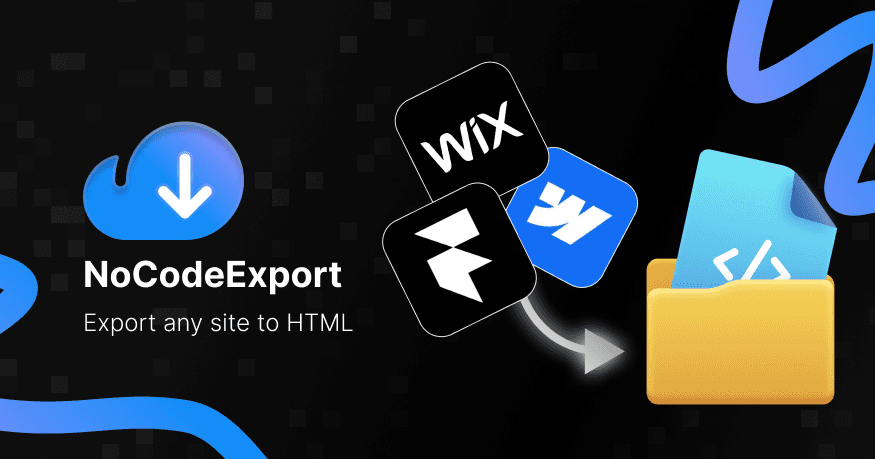
NoCode Export is a URL-to-code platform that allows users to turn a live website into a self-hostable code package.
The workflow starts with a simple input: the user enters a URL.
The system then:
Crawls the website
Collects assets
Reorganizes the file structure
Generates a static package
Pushes the output to GitHub
Deploys it to a self-owned infrastructure
The goal of the product was not to rebuild websites with AI.
The goal was to help businesses regain ownership of websites they had already built on platforms such as Framer, Webflow, or WordPress.
Field | Detail |
|---|---|
Role | Product Designer |
Team | 1 Product Owner + AI-assisted development |
Timeline | 2 weeks |
Status | Internal Production Tool |
Why This Project Needed to Exist
Over the last few years, separating marketing websites from core product applications has become a common practice.
Even large technology companies use tools like:
Framer
Webflow
Squarespace
WordPress
Shopify
to publish landing pages faster instead of routing every marketing page through engineering.
This makes publishing much faster.
But it also creates another problem:
Platform dependency.
A marketing website may cost around 20 USD per month to maintain.
For one website, that cost may not matter much.
But for an outsourcing company managing many websites at the same time, the cost grows quickly.
Ten websites can mean:
Around 200 USD per month
Around 2,400 USD per year
More than 60 million VND per year just for hosting and builder subscriptions
At the same time, many marketing websites barely change after they are published.
That raised a practical question:
Do we really need to keep paying for a platform if the website is already stable and rarely changes?
That was the reason NoCode Export was created.
The Real Problem Was Not Building
At first, many people assume the problem is website creation.
But that is no longer the hard part.
Building websites today is easier than ever.
Framer, Webflow, and many AI website builders already solve that problem well.
The real problem appears after the website has already been built.
The problem was no longer building a website.
The problem was owning the website after it had already been built.
Businesses wanted to:
Self-deploy
Move hosting
Archive internally
Reduce subscriptions
Hand off files to developers
But the code was not always easy to access, clean, or reuse.
The Core Idea
Instead of asking users to provide:
Design files
Webflow accounts
Framer projects
Platform credentials
the product starts from the simplest thing users already have:
A public URL.
If a website has already been published, the system can move through the pipeline:
Users do not need to understand the crawler or the pipeline.
They only need to enter a URL and receive a usable package.
The Challenge
The biggest challenge was not the crawler.
Crawling was relatively straightforward.
Scaffold generation was also treated as an experimental path for modern frameworks such as React or Next.js.
The real challenge was:
How to turn a technical workflow into a one-click experience.
Users did not want to:
Configure pipelines
Set up GitHub Actions
Configure deployment
Manage assets manually
Set up performance audits
They wanted a much simpler flow:
Everything else should be automated.
Designing for Automation
The entire product was designed around one principle:
One setup. One click. Everything else runs automatically.
After the initial setup, the pipeline can:
Crawl the website
Fetch assets
Generate the package
Push to GitHub
Deploy to a PaaS provider
Run performance checks
Save the export history
Users do not need to understand every step in the pipeline to receive the value.
Why HTML Became the Default Output
One question came up early:
Why not rebuild the website into React, Next.js, or another modern framework?
After several experiments, we decided not to make that the main goal.
The reason was simple:
HTML is the final output of every web platform.
Whether the website is built with:
Framer
Webflow
WordPress
Next.js
the browser ultimately receives HTML.
If the goal is:
Ownership
Archiving
Migration
Self-hosting
then HTML is the most stable and least error-prone output.
Scaffold export still existed as an experimental extension.
But HTML export became the core workflow of the product.
The Export Pipeline
The pipeline was divided into multiple stages.
Stage | Purpose |
|---|---|
Discover | Find all website pages |
Crawl | Collect page content |
Asset Fetch | Download assets and media |
Transform | Normalize the output |
Package | Organize the file structure |
Git Push | Sync the output to GitHub |
Deploy | Deploy to self-owned infrastructure |
Splitting the pipeline into stages made the system easier to extend and helped users understand exactly where the export was in the process.
Key Decisions
Decision | Why | Impact |
|---|---|---|
Start from URL | Reduce friction | Users do not need platform credentials |
HTML-first export | Highest output accuracy | Works across more platforms |
Automation-first workflow | Reduce manual effort | Faster publishing and redeployment |
GitHub integration | Support ownership | Easier developer handoff |
Deploy integration | Complete the workflow | Users do not need to switch tools |
Pay-as-you-go credits | Match export behavior | Avoid forcing another subscription |
Outcome
Although NoCode Export was built mainly for internal use, it quickly became part of the company’s operational workflow.
Metric | Result |
|---|---|
Launch Status | Released |
Sites Exported | 100+ |
Deployment Type | Internal Production |
Cost Savings | 100+ million VND per year |
Pricing Model | Pay-as-you-go credits |
Because of the sensitive nature of the product, detailed accuracy and usage metrics were not disclosed.
However, the main goal was achieved:
The company significantly reduced its dependency on third-party website builder subscriptions.
What I Learned
This project reinforced an interesting product lesson:
Speed and ownership are often optimized by different tools.
Website builders help marketing teams publish faster.
But once a website becomes stable, the problem shifts toward ownership and cost efficiency.
NoCode Export was not built to replace Framer, Webflow, or WordPress.
In fact, it accepts that those tools are excellent for the building phase.
The product solves a very specific moment:
When the website is already finished, and the business wants more control over the digital asset it created.
Sometimes the value is not in creating something new.
Sometimes the value is in helping users keep what they already own.
0 views
Likes


Comment