
Overview
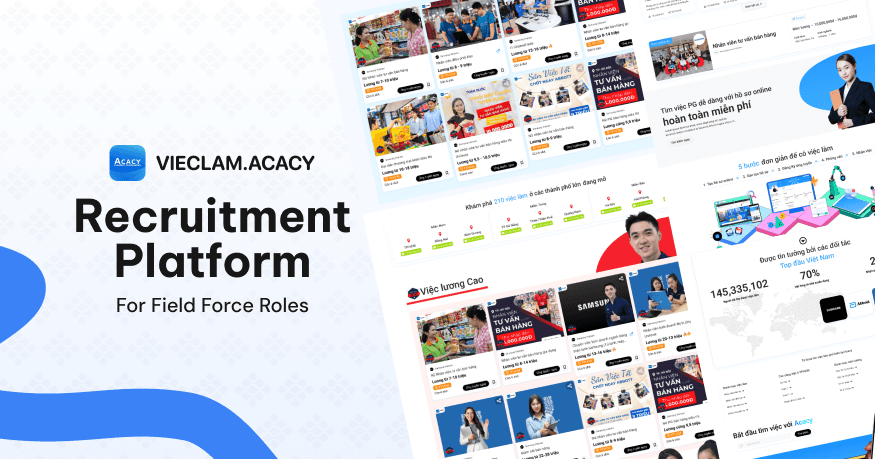
Acacy Recruitment Platform serves field roles such as product promoters (PGs), sales promoters (PBs), sales associates, supermarket staff, warehouse workers, and other positions across staffing, retail, sales, and market activation.
The project was completed in 2023 by a small team consisting of one Business Analyst and one UX/UI Designer.
I led UX/UI design and worked with the BA on research, data structure, filtering logic, MVP design, prototyping, and handoff using the Ant Design library.
I did not redesign the core HRM system behind the product. Acacy already had internal systems for receiving applications and managing recruitment operations.
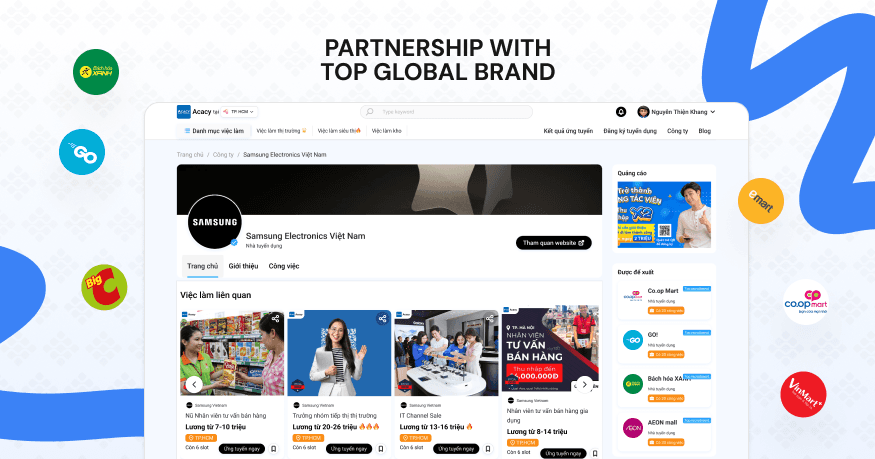
My responsibility was to design the candidate-facing experience: turning fragmented recruitment data into an easy-to-use website/web app that was clear to stakeholders and professional enough for Acacy to present its capabilities to major brands such as Samsung, Unilever, and retail chains.
Why this project?
Before the project, candidates found jobs through many different channels: Facebook posts, Zalo, hotlines, website forms, or direct messages.
Operationally, Acacy already had recruitment capabilities and an application intake system. However, the candidate experience remained fragmented. Recruitment data had not yet been presented as a clear, engaging, and trustworthy product that matched the caliber of the brands Acacy wanted to serve.
The challenge was not simply to build another job listing website.
The product needed to serve three goals at once:
Goal | What it means |
|---|---|
Attract candidates | Help candidates find and apply for jobs more quickly. |
Showcase capabilities to businesses | Demonstrate recruitment capabilities to Samsung, Unilever, and retail chains. |
Standardize data | Present jobs, locations, salaries, brands, and application statuses consistently. |
Acacy needed a product simple enough for candidates to use every day, yet professional enough to present and compete for work with major enterprise partners.
User insight
The primary users include PGs, PBs, sales associates, market activation staff, supermarket employees, and other frontline workers.
These users are not looking for a complex recruitment process like LinkedIn or platforms built for office-based roles.
They need quick answers to:
Where is the job?
How much does it pay?
Is it shift-based or campaign-based?
Which brand is hiring?
How many openings are available?
Can I apply quickly?
Where can I check my application status?
The experience should therefore start with the two simplest pieces of information:
Location and phone number.
Location helps candidates find jobs nearby. A phone number becomes the primary identifier for signing in, applying, and checking application status, instead of requiring users to remember an email address or password.
User profiles
Primary group — PG / PB candidates
Attribute | Details |
|---|---|
Audience | PGs, PBs, sales associates, supermarket staff, and field workers. |
Device | Primarily mobile phones. |
Primary goal | Find a nearby job with clear pay and apply quickly. |
Decision factors | Location, pay range, shifts, brand, and number of open positions. |
Barriers | They do not want to create a complicated account, write a long CV, or sign in with a password. |
Preferred journey | Choose a location → Browse relevant jobs → Enter a phone number → Apply → Check the result. |
Secondary group — Recruiters / Operations team
Attribute | Details |
|---|---|
Audience | Recruiters, recruitment coordinators, and operations staff. |
Primary goal | Receive clearer candidate information organized by job, location, and campaign. |
Needs | Standardize application data, reduce fragmented sourcing channels, and make status tracking easier. |
Barriers | Candidate information arrives through many channels, making it difficult to standardize and track. |
Business group — Brands / Partners
Attribute | Details |
|---|---|
Audience | Samsung, Unilever, retail chains, and internal leadership. |
Primary goal | Assess Acacy's ability to recruit frontline staff at scale. |
Needs | Understand geographic coverage, brand credibility, system professionalism, and the speed of candidate acquisition. |
Barriers | It is difficult to trust operational capabilities when all they can see are forms or internal data. |
The real problem
This was not a typical job board.
A basic recruitment site only needs to publish jobs and receive CVs. Acacy needed a product that could do more:
Help less tech-savvy candidates find jobs quickly
Turn job data into clear starting points
Build trust with major enterprise brands
Standardize how candidates apply and check results
Make nationwide recruitment capabilities visible
The biggest issue was not a lack of data. Recruitment data had not been turned into an experience good enough to help candidates make decisions and give stakeholders confidence in the system.
Core idea
The core idea was:
Recruitment data should support decision-making, not just serve as a database.
Rather than simply displaying a list of jobs, the platform needed to help candidates make quick decisions based on the factors that matter most:
Location
Salary
Job type
Brand
Store chain
Open positions
Application status
Every job card, filter, category, and search result needed to answer one question:
Is this job right for me, and can I apply quickly?
Key UX decisions
Decision | Rationale | Impact |
|---|---|---|
Start with location | PG / PB roles depend heavily on the workplace location. | Candidates can find relevant jobs faster. |
Phone-based sign-in | Candidates do not have to go through an email-and-password workflow. | Reduces friction when signing in and checking applications. |
OTP verification | Easier than password-based sign-in for a primarily mobile audience. | Reduces forgotten-password issues. |
Prioritize browsing through job cards | Candidates need to scan many jobs quickly. | Makes comparison easier. |
Show salary early | Pay is an important factor when choosing a job. | Helps users rule out unsuitable jobs sooner. |
Group by brand / store chain | Familiar brands can build trust. | Increases the likelihood that users will explore and apply. |
Keep the application form simple | Candidates do not want to create a complicated CV. | Reduces application drop-off. |
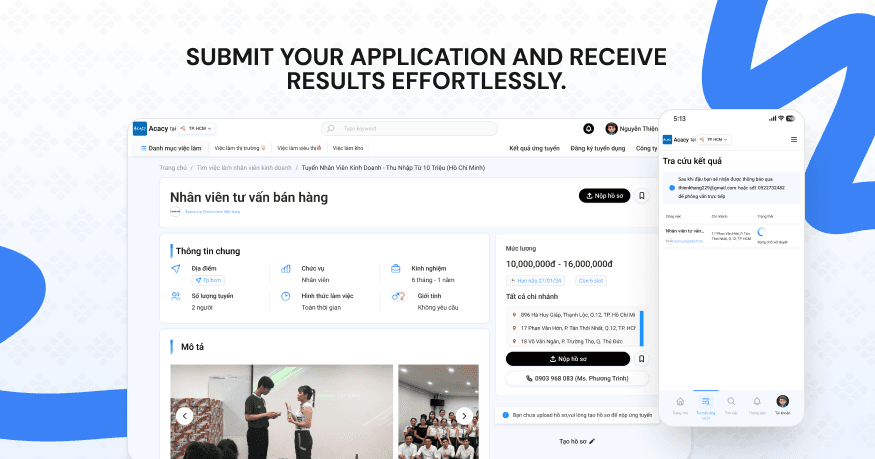
Let users look up applications with personal information | Users can check results with their phone number. | Reduces dependence on recruiters. |
Global search | Users search by pay, location, brand, and category. | Improves job discovery. |
Filter by category | Job data should match the way people actually search. | Makes navigation clearer. |
Information architecture
I designed the content structure around the main starting points candidates use when looking for work.
Starting point | User need |
|---|---|
Search bar | The user already knows what they are looking for. |
Choose a location | The user wants to find a job near home. |
Job category | The user wants to browse by role type. |
Pay range | The user prioritizes income. |
Brand / store chain | The user trusts familiar brands. |
Popular jobs | The user wants to see roles with high demand. |
Higher-paying jobs | The user prioritizes work with higher earnings. |
Student jobs | The user is a student or needs flexible work. |
Blog / guides | The user needs to understand the application process. |
The same recruitment dataset was reorganized into several discovery paths to support different ways of looking for work.
What I designed
The main screens and flows I designed included:
Homepage
Job listings
Job details
Sign in / sign up
OTP flow
Application status
Category menu
Global search
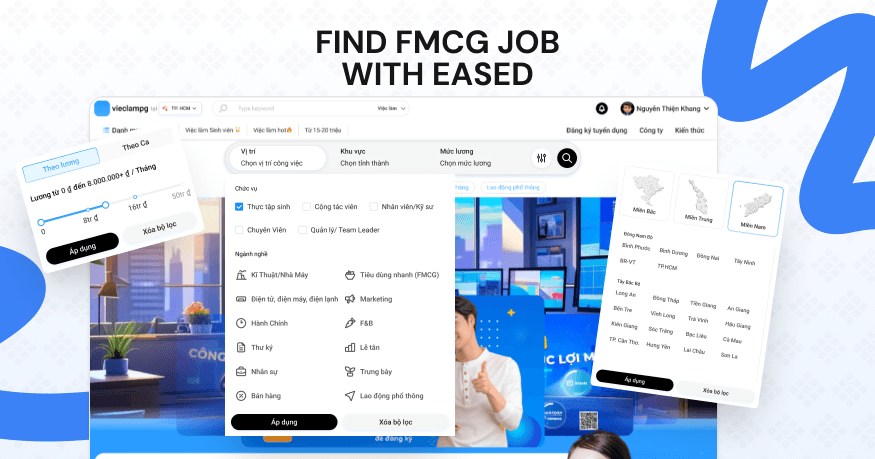
Filters for location, pay, and job type
App-like mobile web experience
Company / partner section
Recruitment blog / guides
SEO keyword content sections
Footer structure
Ant Design library for handoff
The homepage needed to make a stronger impression and stand apart from competitors because it served not only candidates but also showcased Acacy's capabilities to brands and stakeholders.
Data-driven UX
Recruitment data was turned into interface patterns that make information easier to scan and act on.
The main data fields included:
Data | UX use |
|---|---|
Job title | Identifies the role. |
Salary | Helps candidates decide more quickly. |
Location | Matches jobs to the user's area. |
Brand | Builds trust. |
Store chain | Helps users search within a retail network. |
Job type | Full-time, part-time, campaign-based, or hourly. |
Gender requirement | An application condition. |
Age requirement | An application condition. |
Experience | A signal of role fit. |
Open positions | Indicates urgency. |
Application status | Helps candidates track the outcome. |
Recruiter contact | Provides confirmation when needed. |
An important detail is that a single job may have multiple locations and openings. The listing page therefore needs to show enough information for users to see whether a suitable location is still available.
Application flow
The main candidate journey was designed to be as simple as possible:
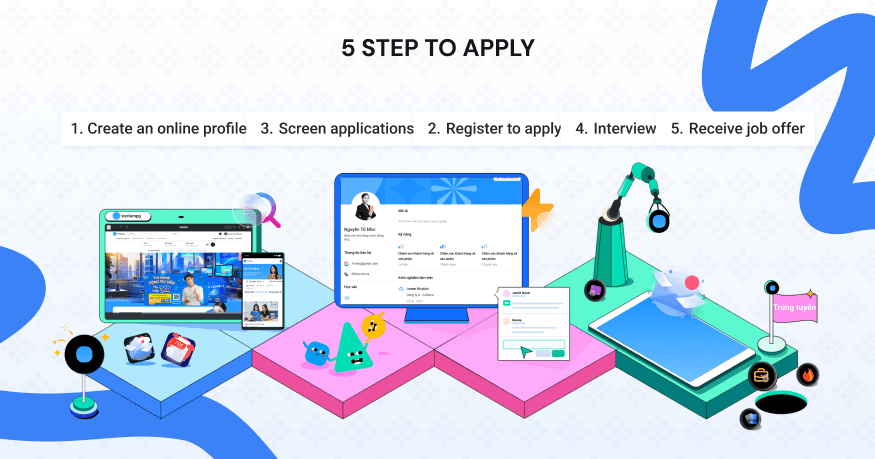
Choose a location → Browse relevant jobs → Open job details → Apply with a phone number → Verify by OTP → Submit the form → Check application status
The goal was to help candidates move from job discovery to applying without creating a complicated account or uploading a CV at the outset.
Capability showcase
The product was more than a recruitment website. It was also a business development asset for Acacy.
The website needed to demonstrate:
High-volume recruitment capabilities
Geographic reach
Brand credibility
A professional system
Speed of candidate acquisition
Standardized recruitment data
The homepage was therefore designed as both a job discovery page and a business capability showcase.
Candidates could find and apply for jobs, while major brands could see Acacy's nationwide operational capabilities.
Results
The project launched and entered real-world use.
Outcome | Details |
|---|---|
Status | Launched |
Usage | In active operation |
Business use | Used to showcase capabilities to businesses |
Clients | Supported recruitment needs related to Samsung and Unilever |
Outcome | Helped secure a successful pitch and budget approval |
Metrics | Some metrics on jobs, candidates, and application rates are not disclosed due to an NDA. |
Although many metrics cannot be shared, the project's main value was turning internal recruitment data into a usable product that could be presented to stakeholders and build their confidence.
What I learned
This project helped me better understand how to design for users who are less familiar with technology.
Good UX for this audience is not about adding more features; it is about removing unnecessary steps.
A phone number can be a better identifier than an email address. Location can matter more than a job title. Salary can matter more than a long description. In recruitment products, data only has value when it helps people make decisions faster.
The biggest lesson was:
Design is not just about displaying data.
Design is deciding which data matters, when it should appear, and how it can help people act faster.
For Acacy, I did not design the HRM system. I designed the experience layer that makes recruitment data easier to understand, search, apply to, and trust for both candidates and enterprise clients.
Share to
Presentation