
Overview
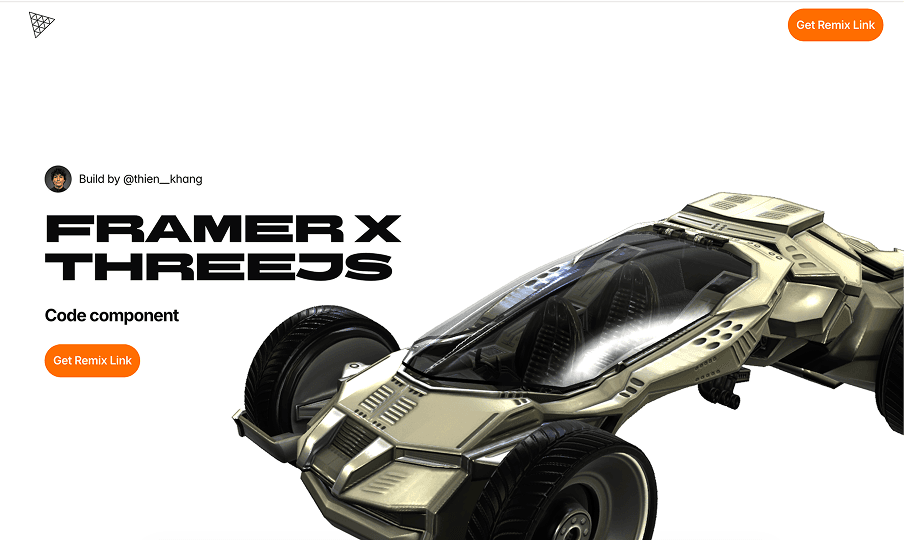
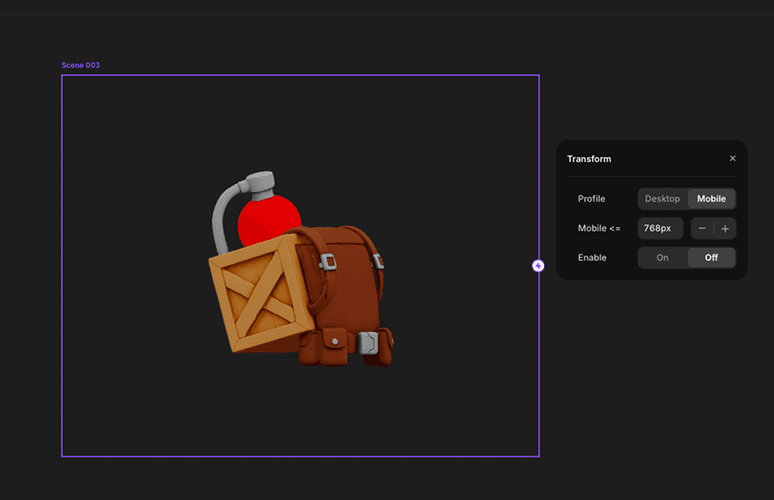
Framer x ThreeJS Runtime is a lightweight Three.js runtime for designers.
The project aims to help designers create and control 3D scenes directly in Framer without writing code or needing an in-depth understanding of Three.js.
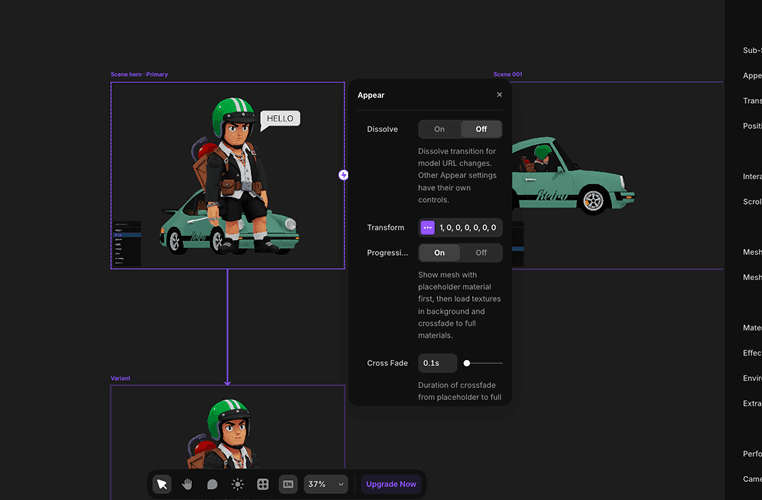
Instead of setting up a renderer, camera, animations, lighting, and interactions in code, designers can upload a model and work with controls that feel familiar in Framer.
Why I built it
Almost every designer has wanted to create a 3D website at some point.
But building one with Three.js is still a significant barrier.
Framer has made website creation easier than ever for designers, yet 3D workflows still often depend on external tools like Spline or isolated custom components.
That leaves a clear gap.
Designers can build a website in Framer, but creating a Three.js experience within the same workflow is still not easy.
The question was:
If designers can build websites in Framer, why can't they create Three.js websites in the same way?
The gap between Spline and custom Three.js
As I explored 3D workflows for Framer, I noticed that people usually choose one of two approaches.
The first is to use a tool like Spline. It is one of the fastest ways to put a 3D model on a website. However, when a project needs deeper interactions, more complex animation logic, or tighter integration with layout and content, the workflow starts to show its limits.
The second is to build directly with Three.js. This offers almost complete control, but comes with significant technical complexity. Designers often have to become developers to continue.
The opportunity lies between these two approaches.
I did not want to create a replacement for Three.js or build yet another 3D editor.
The goal was to create a runtime that lets designers work with 3D using the Framer workflow they already know.
The challenge
The problem was not simply displaying a 3D model.
The real challenge was turning a technical library like Three.js into a tool designers could use.
This created three major challenges:
Challenge | What it means |
|---|---|
API complexity | Three.js has too many technical concepts for most designers. |
Framer integration | Three.js was not designed to work like a native Framer component. |
Designer usability | The runtime needed to be powerful enough for real products while remaining easy to learn. |
The biggest challenge was deciding which parts of Three.js to expose in the interface and which to hide.
The hardest part was not displaying 3D; it was deciding what not to include in the product.
Three.js has hundreds of APIs, settings, and technical concepts. Exposing all of them would quickly turn the product into a developer tool instead of a design tool.
Core idea
Instead of bringing all of Three.js into Framer, I took the opposite approach:
Expose only what designers actually need.
Designers do not need to understand:
RendererScene GraphAnimation MixerRaycasterRender LoopEnvironment Pipeline
They only need to:
Upload a model
Scroll through the page
Change a model's state
Hover over an object
Trigger an animation
The runtime's goal is to turn technical 3D concepts into familiar controls inside Framer.
Approach
Step 01 — Define the minimum runtime
I started by identifying the essential features for a modern 3D website:
Model import
Camera controls
Scroll-based animation
Hover interactions
Lighting
Environment
Material controls
The runtime also needed to support:
Loading models from a local file or URL
Controlling the camera as users scroll through each section
Animating position, rotation, and scale
Scroll-triggered reveal effects
Scroll-based transforms
Scroll-based animation
State transitions
Everything needed to follow the way designers already think when working in Framer.
Step 02 — AI-assisted development
This was an entirely new technical field for me.
Instead of building everything manually, I used AI agents to accelerate both research and development.
I equipped the agents with knowledge in two key areas:
Framer component architecture
Three.js runtime architecture
At the same time, I studied the Framer Developer API and analyzed a range of Three.js websites to understand common patterns in real-world 3D web experiences.
Step 03 — Build first, optimize later
At the beginning, I deliberately chose not to focus on clean architecture.
The only goal was:
Build as much as possible.
I wanted to understand the limits of Three.js, Framer, and the runtime itself before optimizing the system.
Step 04 — Experience it as a user
This was the longest phase of the project.
I continuously tested the product from the perspective of a designer using the tool for the first time.
Each control needed to answer one question:
Is this easier than opening a code editor?
If the answer was no, the control needed to be redesigned.
Many technical settings were grouped into simpler concepts to reduce the cognitive load on designers.
What I built
The first version covered nearly the entire workflow needed to create a Three.js website directly in Framer.
3D scene controls
Model import
Camera setup
Environment controls
HDRI setup
Lighting controls
Material controls
Post-processing
Debugging tools
Motion and interaction
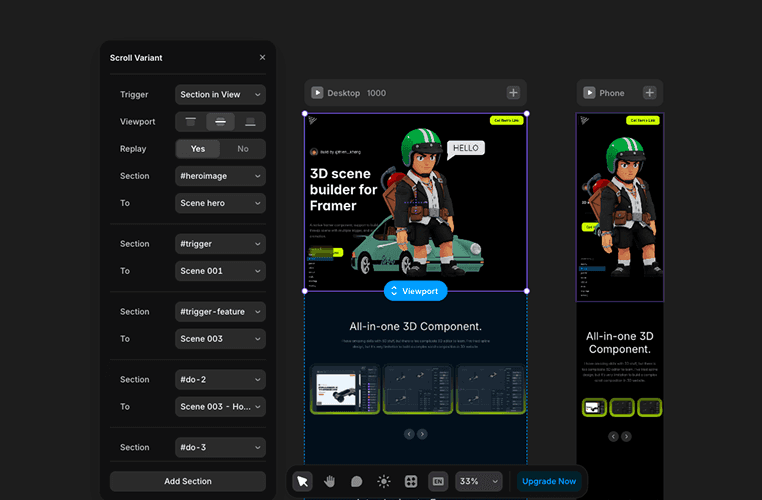
Scroll-based animation
Scroll-triggered reveal effects
Scroll-based transforms
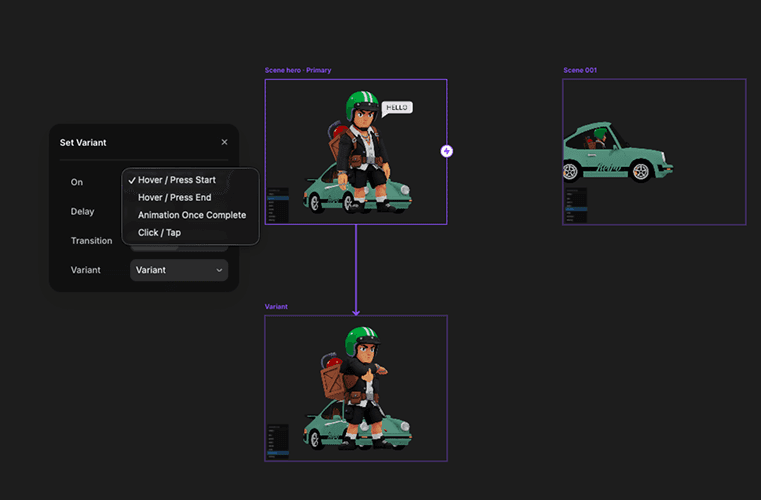
State machine
Hover interactions
Click interactions
Motion smoothing with Lerp
One important decision was to reuse Framer's existing event system instead of creating an entirely new workflow.
This lets designers continue working in the familiar way they already know in Framer.
From model interactions to object-level interactions
In the first version, the runtime supported interactions only at the model level.
Designers could:
Move the model
Scale the model
Rotate the model
Trigger animations
These capabilities were enough for basic 3D landing pages.
However, after several rounds of testing, I realized the real opportunity was not only at the model level, but also in the individual objects inside a model.
For example, a car is not just one object. It can include:
Doors
Wheels
Dashboard
Steering wheel
Designers do not just want to rotate the whole car. They want to:
Hover over a wheel
Click a door
Trigger an animation on the dashboard
Change the state of an individual object
That led to the development of the Object Interaction system.
Instead of controlling only the model at the scene level, the runtime can bring interactions to individual objects inside the model.
This opens up more possibilities for product showcases, storytelling websites, and interactive experiences.
The hardest problem
The hardest problem was not animation; it was rendering.
Initially, each component managed its own WebGL renderer. This worked well for simple websites, but more complex layouts introduced several problems:
GPU memory usage grew quickly
Rendering cost increased with every canvas
Mobile browsers were more likely to freeze or crash
Complex layouts were harder to control
The real issue was not the models, but the number of WebGL contexts being created.
Root / Slot renderer architecture
To solve this, I designed a new architecture: the Root / Slot renderer bridge.
Instead of letting each component create its own renderer, the entire website shares one renderer. Slots declare only data, state, and instructions; a central renderer handles the full scene.
Benefit | Impact |
|---|---|
Shared WebGL context | Reduces the number of renderers that need to be initialized. |
Improved performance | Reduces GPU overhead and memory usage. |
More stable on mobile | Lowers the risk of freezes on lower-powered devices. |
Flexible layout composition | Allows 3D content to appear in different areas of a layout. |
This was also the part that required the most time to research, build, and debug.
Results
The runtime turns Three.js from a highly technical workflow into an approach that better matches how designers already work in Framer.
Designers can:
Upload a model
Set up animations
Control states
Create scroll-based interactions
Build 3D landing pages
without setting up Three.js from scratch.
More importantly, the experience retains Framer's familiar way of working instead of forcing designers to learn an entirely new workflow.
What I learned
This project showed me that building features is easier than designing controls.
The hardest part was not rendering a 3D scene; it was translating technical concepts into controls designers could understand immediately.
A good runtime is not the one that exposes the most features, but the one that presents the right features.
The project also reinforced a lesson I often see in design systems, developer tools, and creative software:
Users do not learn APIs.
Users learn the product's mental model.
The closer a product is to a mental model users already know, the easier it is to adopt and use.
The greatest success of Framer x ThreeJS Runtime is not just bringing 3D into Framer, but turning a workflow once reserved for developers into a tool designers can use every day.
Share to
Presentation